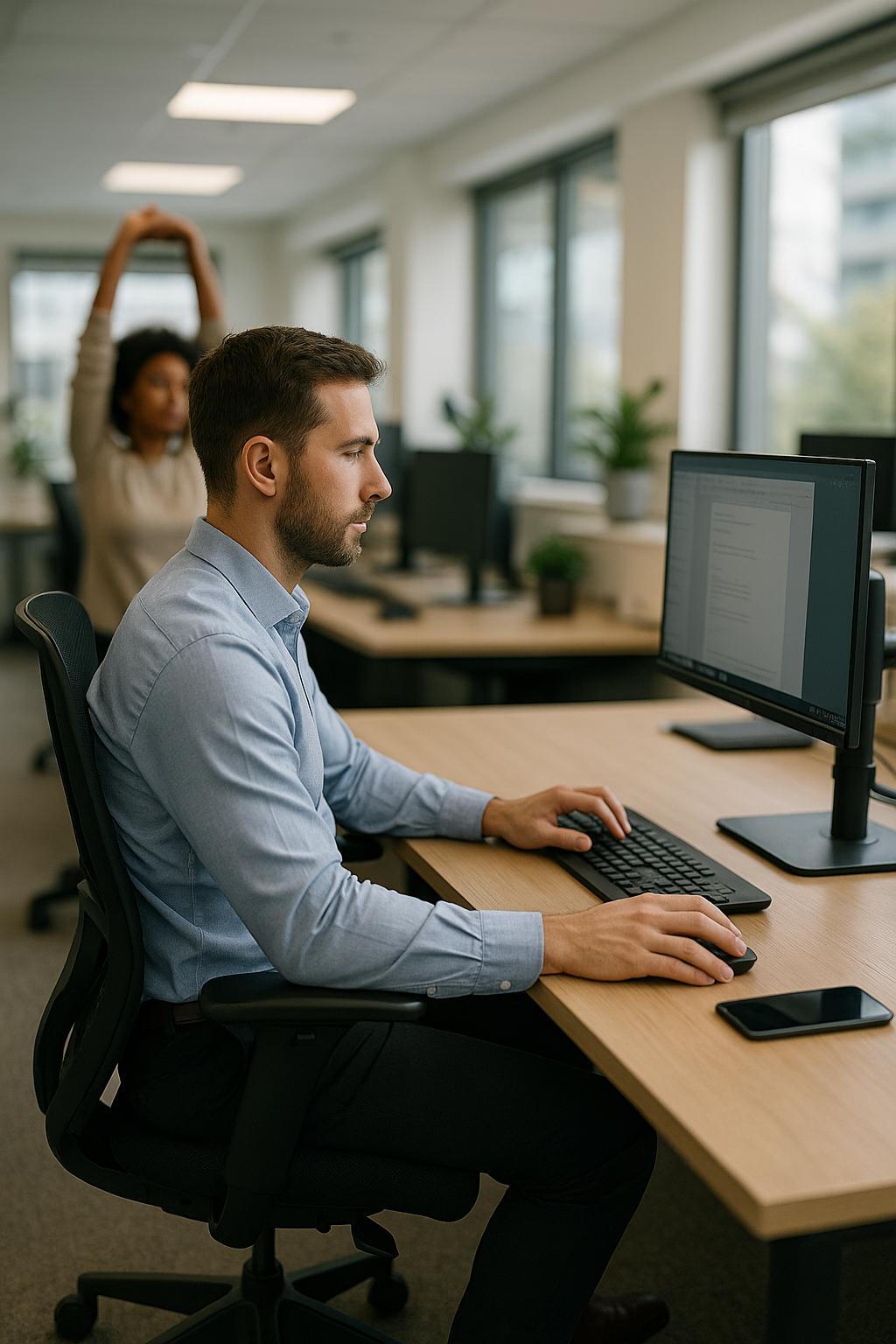


Neck stiffness that won’t go away. A dull ache between the shoulder blades by lunch. Tingling in the wrist after a long afternoon of clicking and scrolling. These are everyday signals in modern offices, and they often point to the same root issue: how the work is set up around the body. Musculoskeletal disorders (MSDs) remain one of the most common work-related health challenges in desk-based roles, and they rarely start with a dramatic injury. More often, they build quietly through small strains repeated day after day.
That is exactly where ergonomics in the workplace comes in. Ergonomics is the science of designing workstations, tools, and tasks to fit the person using them, not the other way around. When the setup matches the body’s natural alignment and movement patterns, people tend to feel better, work more comfortably, and maintain focus for longer. The goal is not perfection or a “one-size-fits-all” desk. It is a smarter fit that reduces unnecessary load on muscles and joints while supporting efficient work.
Why ergonomics matters more than ever
Work has changed, but the human body hasn’t. Many of us spend hours in static positions, moving mainly from keyboard to mouse to phone. Even in flexible offices and home workspaces, the same patterns show up: shoulders creeping upward, wrists bent at awkward angles, lower backs collapsing into the chair, and screens positioned just slightly too low or too far away. Over time, these small mismatches can contribute to discomfort, fatigue, and reduced performance.
Ergonomics is often discussed as a comfort upgrade, but it is also a practical prevention strategy. Better alignment can help reduce the risk of strain-related issues, and it can make everyday tasks feel lighter. In a workplace context, that can translate into fewer interruptions, more consistent energy, and less “end-of-day” soreness that follows people home.
Common ergonomic risk factors to watch for
Most ergonomic problems are not mysterious; they are patterns. Safety guidance often highlights a few recurring risk factors that show up across office roles:
- Awkward postures such as craning the neck toward a screen or reaching forward for the mouse
- Repetitive movements like continuous typing, scrolling, or clicking without variation
- Static positions where the body stays still for long periods, even if the posture looks “fine”
- Localized pressure from hard chair edges, wrist contact on the desk, or unsupported forearms
The good news is that once you know what to look for, many improvements are straightforward. In the next section, we will break down how to spot problem areas and what practical changes can make the biggest difference.
How to identify ergonomic issues before they become injuries
Improving ergonomics in the workplace starts with finding the tasks and setups that create strain. The most effective approach is systematic rather than based on guesswork. A simple “walk-through” of the office can reveal obvious mismatches, but the real value comes from combining observations with employee input and basic data.
Start by looking for patterns in three places:
- Injury and discomfort trends (for example, recurring reports of neck tension, wrist pain, or low-back soreness in the same team or job role)
- Employee feedback through short surveys or quick interviews that ask where discomfort shows up, when it starts, and what tasks trigger it
- Workplace observations of posture, reach distances, screen height, and how often people pause or change position
When you observe, focus on the risk factors that most often drive office-related strain: bent wrists while typing, shoulders lifted toward the ears, forearms unsupported, a head-forward posture toward the screen, or a workspace that forces frequent reaching. Just as important: encourage early reporting. Small discomfort is easier to fix than a long-term issue that has had months to develop.
Practical workstation setup: chair, screen, keyboard and mouse
Once problem areas are visible, the next step is to bring the workstation back toward a neutral posture, meaning joints are naturally aligned and muscles do not have to “hold” the body in place. The goal is not to sit rigidly. It is to reduce unnecessary load while keeping movement easy.
Chair and sitting position
- Seat height: Adjust so feet rest flat on the floor. If the desk height forces the chair higher, use a footrest so the legs are supported.
- Seat depth: Sit back so the chair supports the pelvis and lower back, while leaving a small gap behind the knees. This reduces pressure and helps circulation.
- Back support: Use the backrest to support the natural curve of the lower back. If the chair lacks lumbar support, a small cushion or lumbar support can help maintain alignment.
- Armrests: Set them so shoulders stay relaxed and elbows rest close to the body. Armrests that are too high often cause shoulder tension; too low can encourage slumping.
Monitor placement
- Height: Position the screen so the top portion of the display sits around eye level, reducing the urge to bend the neck.
- Distance: Place the monitor roughly an arm’s length away, then fine-tune based on vision and screen size.
- Alignment: Center the monitor in front of you. If you use two screens equally, place them side-by-side and angle them slightly inward; if one is primary, center that one.
Keyboard and mouse positioning
- Elbows and forearms: Keep elbows near the body and forearms supported (by armrests or the desk) to reduce load on shoulders and neck.
- Wrist position: Aim for straight wrists while typing and mousing. A keyboard that is too high or angled up can force wrist extension.
- Mouse reach: Place the mouse close to the keyboard to avoid repeated reaching. If the mouse is far away, the shoulder often takes the strain.
If neutral posture is hard to maintain during long computer sessions, ergonomic aids can help bridge the gap. Adjustable chairs and footrests address workstation fit, while posture-supporting garments can increase body awareness and help reduce the tendency to collapse forward during focused work.

Women's Posture Shirt™ - Black
Patented shirt improves posture, activates muscles, and can relieve pain/tension in everyday life.

Men's Posture Shirt™ - Black
Posture shirt with patented tech to reduce pain and tension, for better posture and everyday comfort.
Ergonomic risk analysis and smarter job design
Workstation setup is essential, but it is only one part of ergonomics in the workplace. Many issues come from how the job is designed: how long tasks last, how often movements repeat, and whether there is enough variation throughout the day.
A practical way to approach this is a simple job analysis. Break the work into tasks (for example: email and document work, meetings, calls, focused design work, data entry). For each task, note:
- Severity: How physically demanding is it, and how intense is the posture or force involved?
- Frequency: How often does the task occur during the day or week?
- Duration: How long does the task last without meaningful breaks or posture changes?
This helps you prioritise interventions. A mildly awkward posture held for hours can be more problematic than a short, intense task done occasionally. In offices, high-priority “quick wins” often include moving frequently used items into easy reach, reducing unnecessary twisting between screen and documents, and building micro-breaks into the workflow so static positions do not dominate the day.
When changes are prioritised and implemented, reassess after a few weeks. The best ergonomic improvements are measurable in everyday terms: fewer complaints, better comfort late in the day, and work that feels easier to sustain.
Advanced assessments for ergonomics in the workplace
Once workstation adjustments and basic job analysis are in place, the next step is to make ergonomics in the workplace more measurable. Advanced assessments do not have to be complex, but they do benefit from structure and consistency. Many organisations move from informal observations to a repeatable process that captures posture, repetition, and static load across roles and teams.
A practical approach is to combine three layers of assessment:
- Screening: A quick review to identify “problem jobs” or workstations where discomfort is common or where awkward postures are visible.
- Task-level scoring: A closer look at specific tasks using recognised posture-focused methods (often used in industry and increasingly applied in office and hybrid work). These methods help quantify risk rather than relying on opinion.
- Follow-up checks: Short reassessments after changes are implemented to confirm that risk factors have actually been reduced.
In office environments, the most useful outcome is not a technical score. It is a clear list of actions: what to change, who owns it, and when to review it. This is where digital tools can add value.
How AI and digital tools can support better posture and movement
Digital ergonomics tools are increasingly used to make assessments faster and more objective. Depending on the solution, they can help track reach distances, time spent in static positions, and common posture patterns during computer work. Some systems provide real-time feedback prompts, encouraging small corrections such as lowering shoulders, bringing the mouse closer, or taking short movement breaks before fatigue builds.
For employers, the benefit is consistency across teams and locations, especially in hybrid setups where the home office is harder to observe. For employees, the benefit is immediate, practical guidance that supports awareness during focused work. If camera-based or sensor-based tools are used, privacy should be addressed upfront with transparent policies about what is measured, what is stored, and who can access the data.
Technology works best when it supports, rather than replaces, the fundamentals. If the chair is too high, the screen is off-centre, or the workload encourages hours of uninterrupted sitting, no app can fully compensate. Digital feedback should therefore be paired with workstation fit, task variation, and ergonomic aids that make neutral posture easier to maintain.
Real-world applications and quick wins
Successful ergonomic interventions often follow the same pattern: identify the highest-impact risk factor, implement a simple change, and verify results through employee feedback. In offices, quick wins commonly include:
- Reducing reach and twist: Move the mouse closer, centre the primary monitor, and place frequently used items within easy reach to avoid repeated shoulder loading.
- Improving forearm support: Adjust armrests or desk height so forearms can rest without lifting the shoulders.
- Adding micro-break structure: Build short posture changes into the day, such as standing during calls or taking brief movement breaks between focused tasks.
- Supporting neutral alignment: Use a footrest, lumbar support, or other ergonomic aids when the workstation cannot be fully adjusted.
In more physically demanding settings such as logistics areas attached to offices, similar principles apply: reduce force where possible, improve material flow, and avoid sustained awkward postures. Even small changes, such as maintaining equipment (for example, ensuring wheels roll smoothly) or adjusting storage heights to reduce bending and reaching, can reduce strain over time.
For many teams, the most sustainable improvements come from combining environment changes (adjustability and layout), administrative changes (task rotation and break patterns), and individual support (training, posture awareness, and ergonomic aids). The goal is a workday that the body can tolerate not just today, but month after month.
Frequently Asked Questions
What is ergonomics in the workplace?
Ergonomics in the workplace is the practice of designing workstations, tools, and tasks to fit the worker. The aim is to reduce unnecessary strain, support neutral posture, and make work more comfortable and efficient.
Why is ergonomics important in the office?
Office work often involves repetitive movements and long periods in static positions. Good ergonomics can help reduce discomfort and lower the risk of developing strain-related issues in areas such as the neck, shoulders, back, and wrists, while also supporting focus and productivity.
How can I set up an ergonomic workstation?
Start with the basics: adjust chair height so feet are supported, position the monitor around eye level and centred, and keep the keyboard and mouse close so elbows stay near the body. Aim for straight wrists and relaxed shoulders, and use ergonomic aids such as a footrest or lumbar support if the workstation cannot be adjusted enough.
What are common signs of poor ergonomics?
Common signs include neck stiffness, shoulder tension, low-back soreness, headaches linked to screen work, and tingling or discomfort in the wrists or forearms. Symptoms that increase during the workday or improve when away from the workstation can be a useful clue.
How often should ergonomic assessments be conducted?
Assessments should be repeated whenever there are meaningful changes, such as new equipment, a move to a different workspace, or changes in job tasks. Regular check-ins also help, especially if employees report new discomfort or if the organisation is expanding hybrid and home working arrangements.
Källor
- BostonTec. (n.d.). "Benefits of Ergonomics in the Workplace."
- HSENI. (n.d.). "Ergonomics."
- OSHA. (n.d.). "Ergonomics."
- SOM. (n.d.). "How Workplace Ergonomics Can Help You Support Your Staff and Improve Your Business."
- EWU. (n.d.). "Occupational Health & Safety: Ergonomics."
- McClure Ergonomics. (n.d.). "How Ergonomics Improves Job Satisfaction & Performance."
- Oregon OSHA. (n.d.). "Ergonomics Advantages."
- Live Well Health & Physiotherapy. (2022). "Workplace Ergonomics."
- Dahl Consulting. (2023). "Ergonomics: A Key Part of Workplace Safety."
- NCBI. (n.d.). "Ergonomics in the Workplace."
- UT Dallas. (n.d.). "Occupational Health and Safety: Ergonomics."
- Sustema. (n.d.). "How Ergonomics Improves Job Performance."
- Tulane University. (n.d.). "Workplace Ergonomics & Safety."
- NKC Health. (n.d.). "How Workplace Ergonomics Can Make a Difference in Your Health and Productivity."
- YouTube. (n.d.). "Ergonomics in the Workplace."